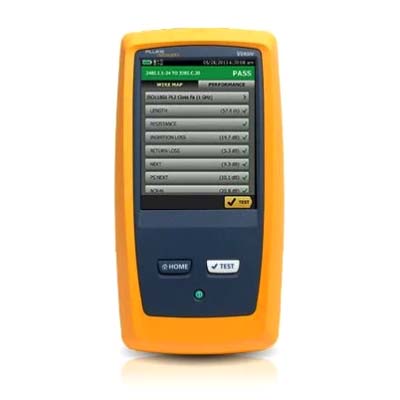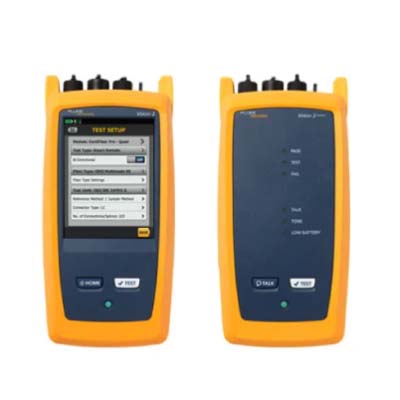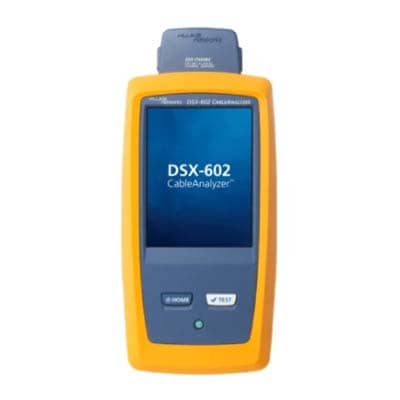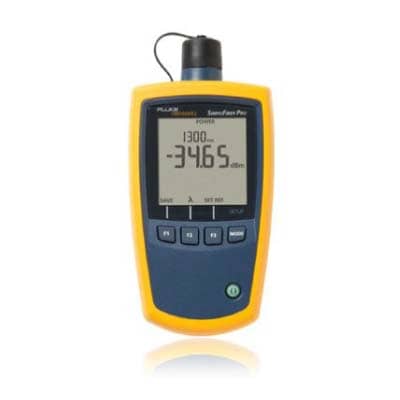
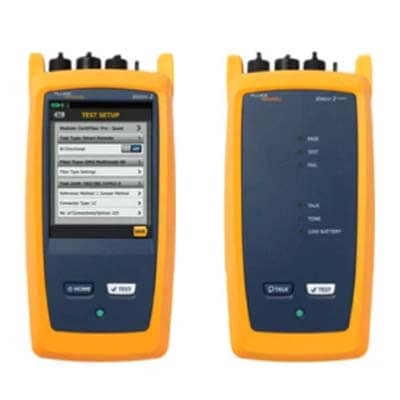
Fluke OptiFiber® Pro OTDR Family
Advanced Fiber Testing for Reliable Network Performance
Product Overview
Fluke OptiFiber® Pro OTDR Family Price in Bangladesh
Fluke OptiFiber® Pro OTDR Family is designed for advanced fiber optic testing, and businesses searching for Fluke OptiFiber® Pro OTDR Family Price in Bangladesh often look for a solution that delivers accurate network diagnostics and dependable performance. Built for modern fiber infrastructure, this professional testing device helps technicians identify faults, verify link quality, and maintain network reliability with confidence.
The OptiFiber Pro OTDR Family offers intelligent troubleshooting capabilities that simplify complex fiber testing tasks. Its user friendly interface allows professionals to quickly analyze fiber links, detect issues, and generate detailed reports. This helps reduce downtime and improves efficiency during installation, maintenance, and network validation projects.
Designed for demanding environments, the device provides dependable performance and consistent results across various fiber applications. Its durable construction supports field use, making it suitable for technicians who require reliable tools for everyday testing operations. The advanced measurement technology ensures precise analysis, helping users make informed decisions about network performance and maintenance requirements.
Another key advantage is its ability to streamline workflow and improve productivity. Automated testing functions reduce manual effort while maintaining accuracy, allowing teams to complete projects more efficiently. The device also supports comprehensive documentation, making it easier to manage records and maintain compliance with industry standards.
Whether used in enterprise networks, data centers, telecommunications infrastructure, or fiber deployment projects, the Fluke OptiFiber Pro OTDR Family delivers the performance, usability, and durability required for professional fiber testing. Its combination of advanced diagnostics, reliable operation, and practical design makes it a trusted choice for organizations seeking high quality fiber optic testing solutions.
Specifications
Fluke OptiFiber® Pro OTDR
| Specification | Multimode module | Singlemode module | Quad module |
|---|---|---|---|
| Wavelengths | 850 nm ±10 nm, 1300 nm +35/-15 nm | 1310 nm ±25 nm, 1550 nm ±30 nm | 850, 1300, 1310, 1550 nm |
| Compatible fiber types | 50/125 µm, 62.5/125 µm | Singlemode | 50/125 µm, 62.5/125 µm, Singlemode |
| Event dead zone | 850 nm: 0.5 m, 1300 nm: 0.7 m | 1310 nm: 0.6 m, 1550 nm: 0.6 m | 850: 0.5 m, 1300: 0.7 m, 1310: 0.6 m, 1550: 0.6 m |
| Attenuation dead zone | 850 nm: 2.5 m, 1300 nm: 4.5 m | 1310 nm: 3.6 m, 1550 nm: 3.7 m | 850: 2.5 m, 1300: 4.5 m, 1310: 3.6 m, 1550: 3.7 m |
| Dynamic range | 850 nm: 28 dB, 1300 nm: 30 dB | 1310 nm: 32 dB, 1550 nm: 30 dB | 850: 28 dB, 1300: 30 dB, 1310: 32 dB, 1550: 30 dB |
| Max distance range setting | 40 km | 130 km | MM: 40 km, SM: 130 km |
| Distance measurement range | 850 nm: 9 km, 1300 nm: 35 km | 1310 nm: 80 km, 1550 nm: 130 km | 850: 9 km, 1300: 35 km, 1310: 80 km, 1550: 130 km |
| Reflectance range | 850 nm: -14 to -57 dB, 1300 nm: -14 to -62 dB | 1310 nm: -14 to -65 dB, 1550 nm: -14 to -65 dB | 850: -14 to -57 dB, 1300: -14 to -62 dB, 1310: -14 to -65 dB |
| Sample resolution | 3 cm to 400 cm | 3 cm to 400 cm | 3 cm to 400 cm |
| Pulse widths (nominal) | 850: 3–200 ns, 1300: 3–1000 ns | 1310/1550: 3–20000 ns | 850: 3–200 ns, 1300: 3–1000 ns, 1310/1550: 3–20000 ns |
| Test time (per wavelength) | Auto: 5s, Quick: 2s, Best: 2–180s, etc. | Auto: 10s, Quick: 5s, Best: 5–180s, etc. | MM–5s/2s/2–180s, SM–10s/5s/5–180s, DataCenter: 1–7s / 20–40s |
Features
Key Features: Fluke OptiFiber® Pro OTDR Family
Most OTDRs are designed for a myriad of applications, causing the user interface to be difficult to navigate and interpret. OptiFiber Pro combines the latest “gesture-based” interface technology with a capacitive touchscreen to deliver the most innovative and user-friendly OTDR.
Advantages:
- Single-touch tap and swipe control for selecting and scrolling menu items
- Multi-touch pinch to zoom for easy magnification control on a graphical fiber trace
- Task-focused design to reduce back and forth navigation through screens
- Capacitive touchscreen eliminates the need to recalibrate unlike legacy touchscreens
- Context sensitive on-screen help that gives users additional details or problem resolution suggestions
At Home in the Datacenter
Driven by server virtualization and multi-gigabit links between servers, networks and storage, the datacenter architecture employs more patch cords and dense topology connectors, rendering carrier-class OTDRs with long dead zones ineffective. OptiFiber Pro not only makes fiber deployment in datacenters possible, but provides the highest level of accuracy for quick problem resolution.
With a simple one-touch selection, users enter DataCenter OTDR mode - without setup time for fine-tuning as needed in legacy OTDRs. DataCenter OTDR mode automatically detects OTDR parameters - end-detection algorithms, pulse widths, etc - without getting confused by the short links or number of connectors.
Advantages:
- Ultra-short event and attenuation dead-zones precisely locates events and faults on fiber links in the Enterprise
- DataCenter OTDR™ mode automatically sets the configuration to quickly test datacenter fiber
- The EventMap feature depicts fiber events in a way that requires no trace analysis expertise
Other Key Features
Extremely short event and attenuation dead zone for the Enterprise
The OptiFiber Pro leverages the most sophisticated optical technology to provide the shortest event dead zone (0.5 m typical for MM) and attenuation dead zone (2.2 m typical for MM and 3.6 m typical for SM) of any OTDR. This technological advancement allows OptiFiber Pro to detect and measure closely spaced faults where no other OTDR can in today’s connector-rich datacenter and storage area environments.
Two second trace per wavelength
Another breakthrough with OptiFiber Pro is the data acquisition speed. While in Quick Test mode, a complete set of data is acquired in as little as two seconds per wavelength. OptiFiber Pro then analyzes the data and displays it as an EventMap, Table or Trace. The end result is less time spent testing and more time performing other tasks.